Mac software · Retro computing

ElkMac.
The Acorn Electron, on your Mac.

Play games, run programs and revisit the 1983 British home computer on a modern Mac. Free for non-commercial use.
macOS 13 Ventura or later · Intel and Apple Silicon · Universal Mac app

Classic computing. Modern Mac.

ElkMac brings the Electron back to life, including support for original hardware expansions.

Original machine

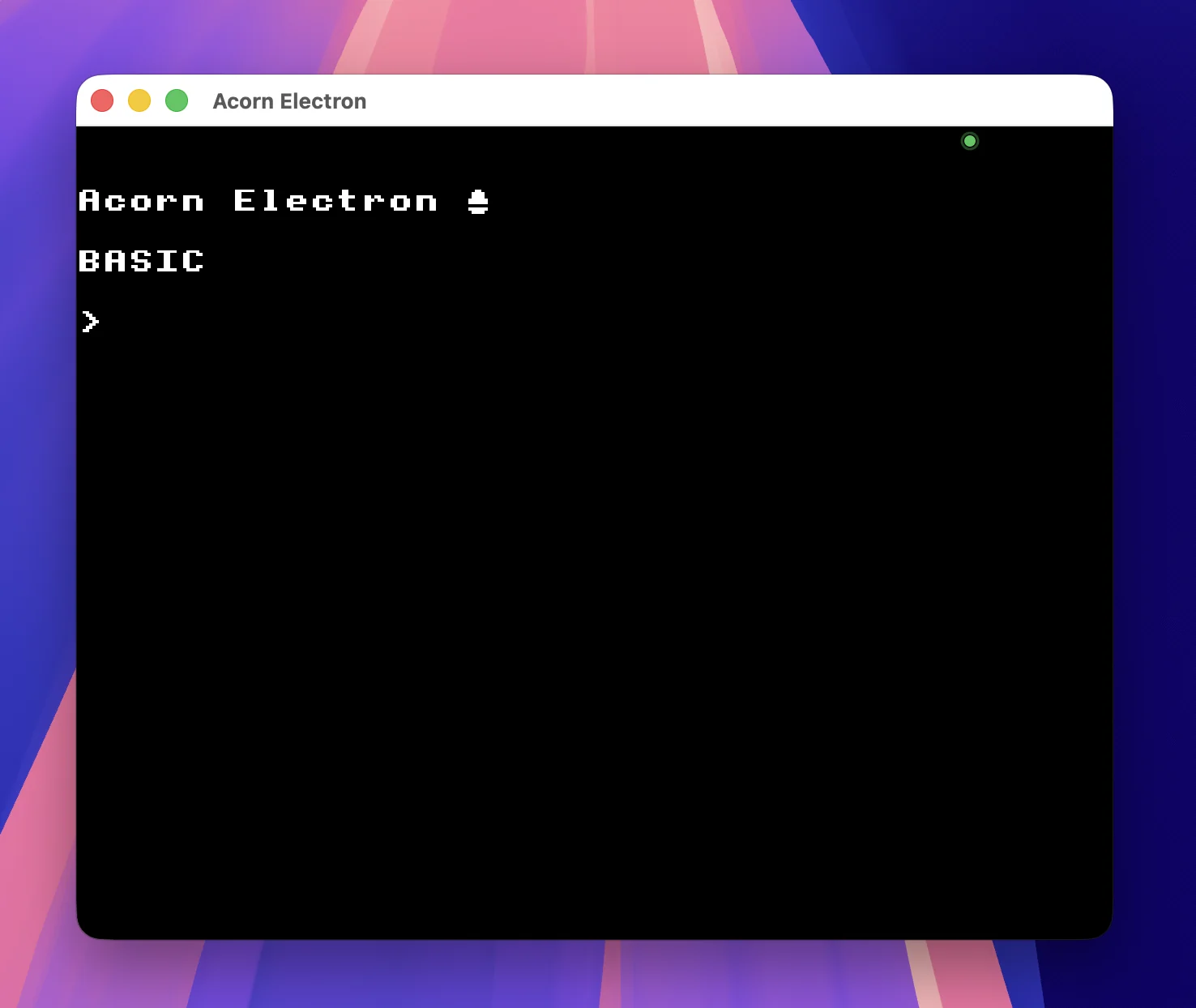
Electron BASIC

Boot into the familiar Acorn Electron BASIC prompt.

Expansion emulation

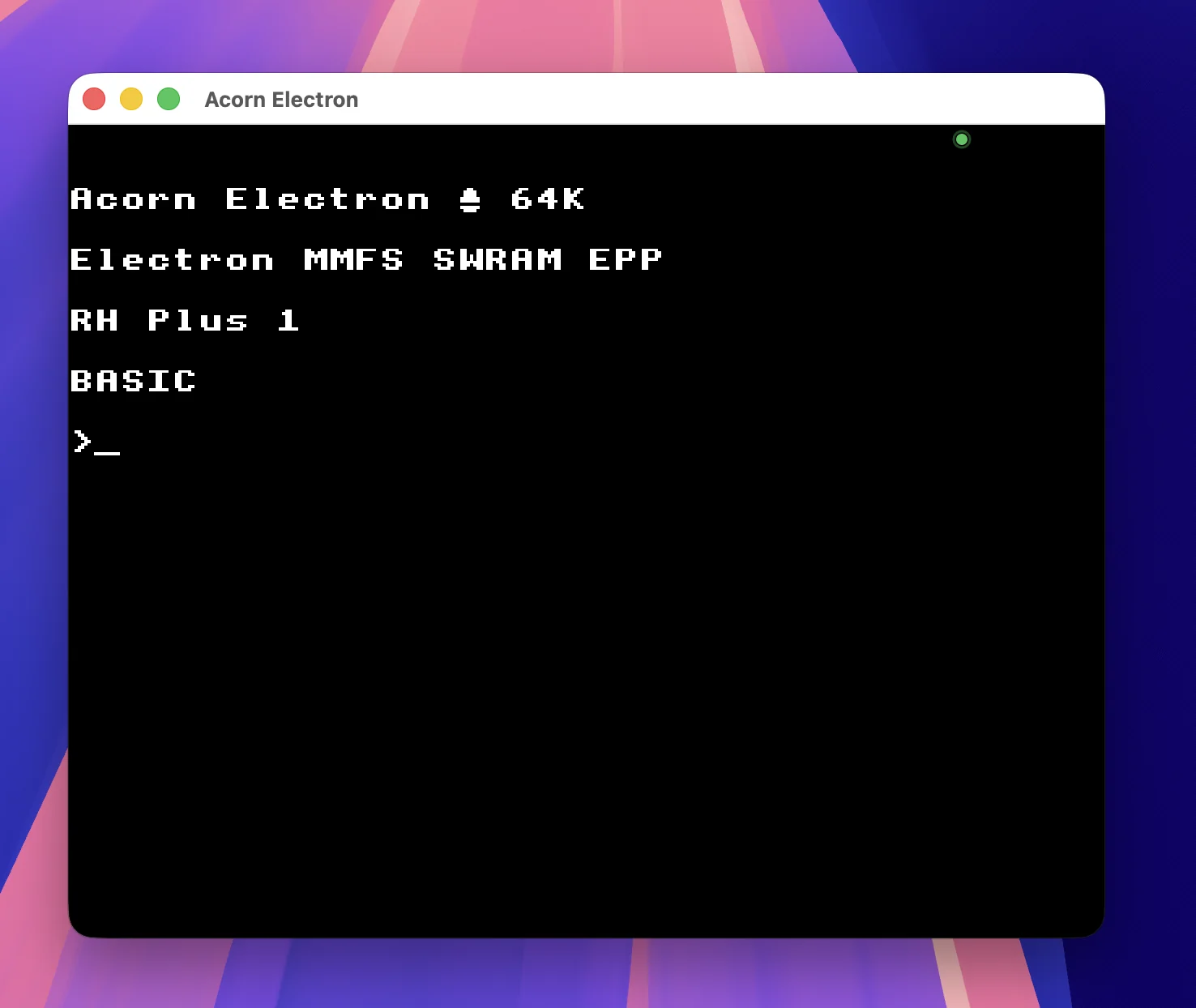
ElkSD64

Emulates the ElkSD64 expansion with 64K memory, sideways RAM and MMFS SD-card support.

Disc emulation

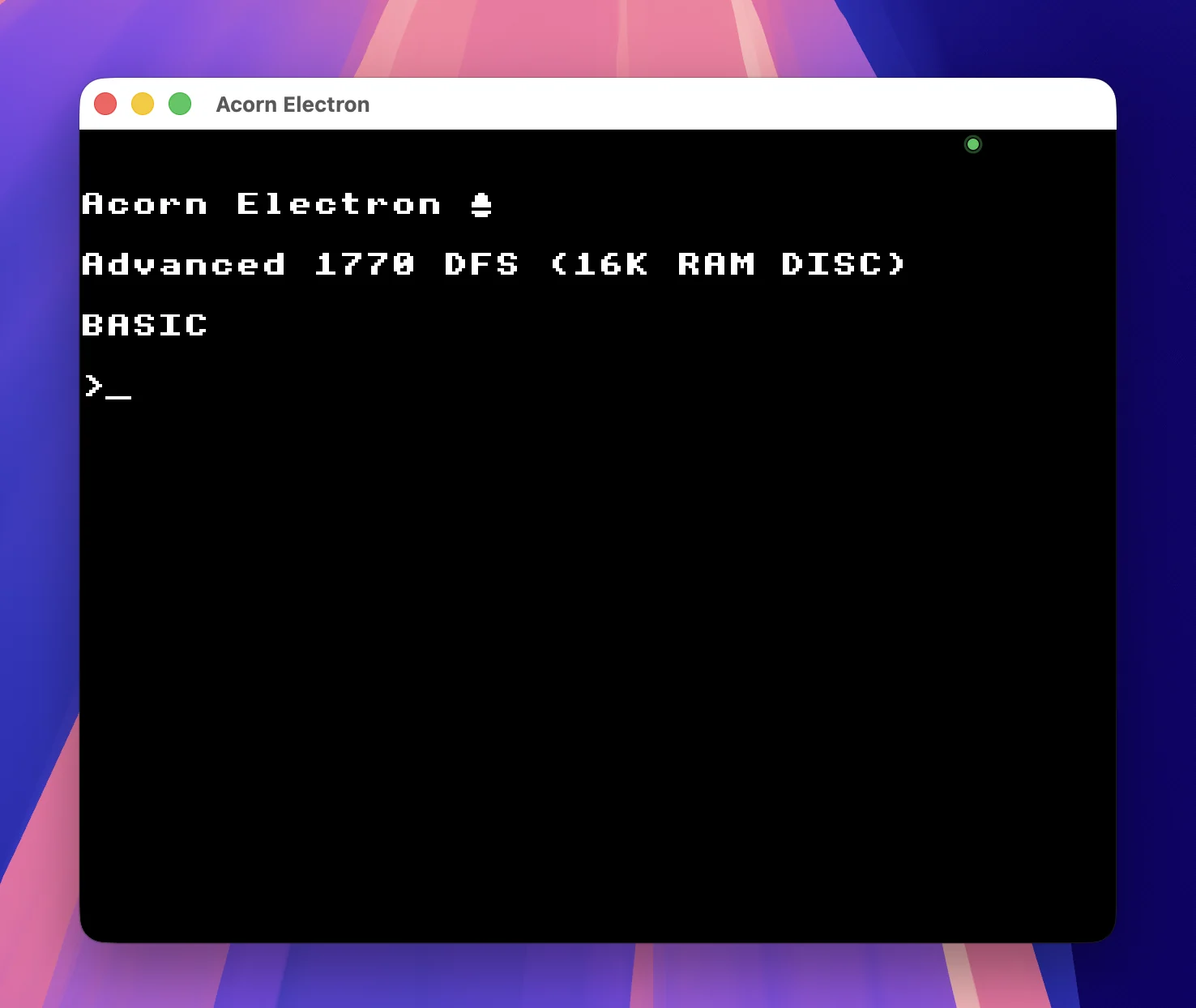
Advanced 1770 DFS

Support for the Electron's disc-based configurations and software.

What ElkMac can do

Before you download

Three things to know

  1. Free for non-commercial use. Commercial use requires a separate licence.
  2. Your Mac may ask you to approve the app. ElkMac is not currently Apple-notarised. Follow the instructions below the download.
  3. You'll need an Electron ROM. The original copyrighted ROM isn't included. Read the ROM guide →

Get ElkMac V1

One universal Mac download for macOS 13 or later. Approximately 2.2 MB.

Download ElkMac V1 for Mac ↓

↓ Download SHA-256 checksum

Use this small text file to verify your ElkMac V1 download. macOS 13 or later · 2.2 MB.

Install ElkMac

  1. Download and open the ElkMac disk image (.dmg).
  2. Drag ElkMac onto the Applications folder as shown in the installer window.
  3. Open ElkMac from Applications or Launchpad.
  4. If your Mac says “ElkMac Not Opened” or “Apple could not verify ElkMac is free of malware”, click Done, not Move to Bin. Open System Settings → Privacy & Security, scroll to Security, and choose Open Anyway beside ElkMac. Enter your password if requested. You only need to do this once.
  5. When ElkMac says “One more thing before ElkMac can start”, choose your legitimately obtained Electron ROM with Choose ROM…. Need help finding your ROM?
  6. Once the Electron BASIC screen appears, drag a game or program onto the window. For tape games, ElkMac can enter the loading command for you.

On macOS 13 or 14, you may alternatively Control-click ElkMac in Applications and select Open, then Open again.

ElkMac frequently asked questions

Is ElkMac free?

Yes. ElkMac is free for non-commercial use under the PolyForm Noncommercial License 1.0.0. Commercial use requires a separate licence.

Does ElkMac work on Apple Silicon Macs?

Yes. ElkMac is a universal Mac app supporting Apple Silicon and Intel Macs running macOS 13 Ventura or later.

Does ElkMac include the Acorn Electron ROM?

No. The original ROM is copyrighted and isn't bundled with ElkMac. See the Electron ROM setup guide for help.

Can ElkMac emulate ElkSD64?

Yes. ElkMac emulates ElkSD64 expansion features, including 64K memory, sideways RAM and MMFS SD-card support.

How do I open ElkMac if macOS blocks it?

Follow the installation instructions to approve the app in macOS Privacy & Security.

Licence and support

Copyright © 2026 I Aberdeen Ltd, trading as I Aberdeen Software. ElkMac is free for non-commercial use under the PolyForm Noncommercial License 1.0.0. Commercial use requires a separate licence from I Aberdeen Ltd.

"Acorn" and "Electron" describe the machine ElkMac emulates. ElkMac is not affiliated with or endorsed by any current owner of those names.

ElkMac does not include any Acorn ROMs.

Questions or bug reports? Contact I Aberdeen Software →